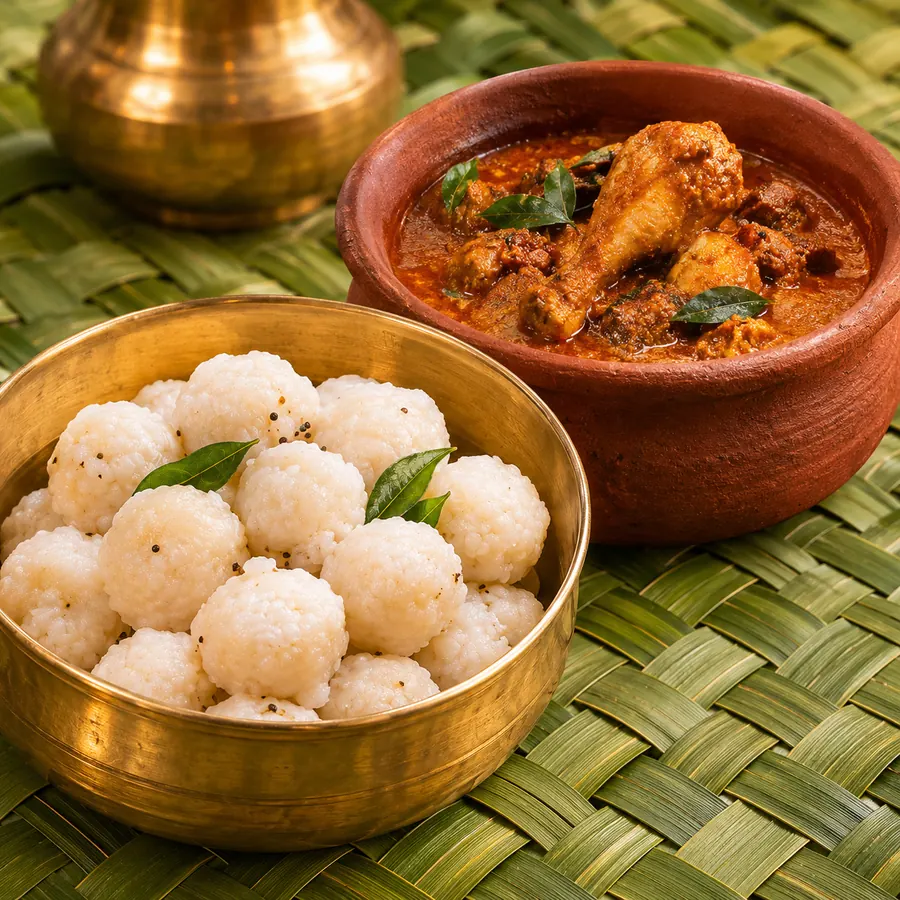
പിടിയും കോഴിയും
Pidiyum Kozhiyum
₹100
എങ്ങനെ ഓർഡർ ചെയ്യാം
Add to basket
Find a dish on the menu and tap the brown + button. It goes into your basket.മെനുവിൽ നിന്ന് വിഭവം തിരഞ്ഞെടുത്ത് ബ്രൗൺ + ബട്ടൺ അമർത്തുക. അത് നിങ്ങളുടെ ബാസ്കറ്റിൽ ചേരും.
Tap the photo to read about the dish first.വിഭവത്തെക്കുറിച്ച് അറിയാൻ ഫോട്ടോയിൽ തൊടുക.
Change how many
Tap + for one more, − for one less. Going below 1 takes the dish out of your basket.ഒന്നു കൂട്ടാൻ +, ഒന്നു കുറയ്ക്കാൻ − അമർത്തുക. 1-ൽ താഴെ ആയാൽ വിഭവം ബാസ്കറ്റിൽ നിന്ന് മാറും.
You can order up to 20 of each dish.ഒരു വിഭവം പരമാവധി 20 എണ്ണം വരെ ഓർഡർ ചെയ്യാം.
Pay
Open the Basket and tap Pay.ബാസ്കറ്റ് തുറന്ന് Pay അമർത്തുക.
First time? Sign in with your mobile number. We send a 6-digit code by SMS.ആദ്യമായാണോ? മൊബൈൽ നമ്പർ ഉപയോഗിച്ച് സൈൻ ഇൻ ചെയ്യുക. 6 അക്ക കോഡ് SMS ആയി ലഭിക്കും.
Pay in the Razorpay window with GPay, PhonePe, any UPI app or a card.Razorpay വിൻഡോയിൽ GPay, PhonePe, ഏതെങ്കിലും UPI ആപ്പ് അല്ലെങ്കിൽ കാർഡ് വഴി പണം അടയ്ക്കാം.
After paying you get an order code and QR. Show it at the food counter from 5:30 PM.പണം അടച്ചാൽ ഓർഡർ കോഡും QR-ഉം ലഭിക്കും. വൈകുന്നേരം 5:30 മുതൽ ഫുഡ് കൗണ്ടറിൽ അത് കാണിക്കുക.